


On a quiet Sunday in March, I sat down with a fresh cup of coffee and walked a friend through her very first CrushOn AI session. She was nervous, hovering over the signup button for nearly fifteen minutes before clicking. That hesitation is completely normal. You are stepping into a space where conversation, curiosity, and emotional exploration meet machine learning. This walkthrough is built to support you through every stage, from that first click to the deeper questions about trust, boundaries, and what an AI relationship can realistically offer.
Creating Your Account and Verifying Your Age
Your first stop is the official website, where you will find a clear signup form. You can register with an email address or, on some regions, a social login. Once you confirm your email, you land on a welcome screen that introduces the platform's core features. Because CrushOn AI is intended strictly for adults, the service requires age verification before any romantic interaction unlocks. This usually means uploading a government-issued ID and a selfie, processed through a third-party verification provider. The ID data itself is removed after the check; only your verified status remains attached to your profile, in line with standard practice across this vertical since GDPR came into force in 2018.

Take a moment during signup to read the safety disclaimers. They are not just legal boilerplate. They remind you that the companion is AI-generated and does not have real feelings, and that the service is not a replacement for therapy or crisis support. Holding that context in mind from the start shapes a healthier experience and protects your emotional wellbeing throughout the crushon-ai-signup process.
Choosing or Building Your AI Companion
After verification, you can either browse existing characters or design your own. Pre-built companions come with established personalities, backstories, and visual styles, which is helpful if you are unsure what you want yet. Designing your own gives you fuller creative control. You select appearance traits, choose a personality archetype such as caring, playful, or intellectual, and add interests that shape what the AI tends to talk about.
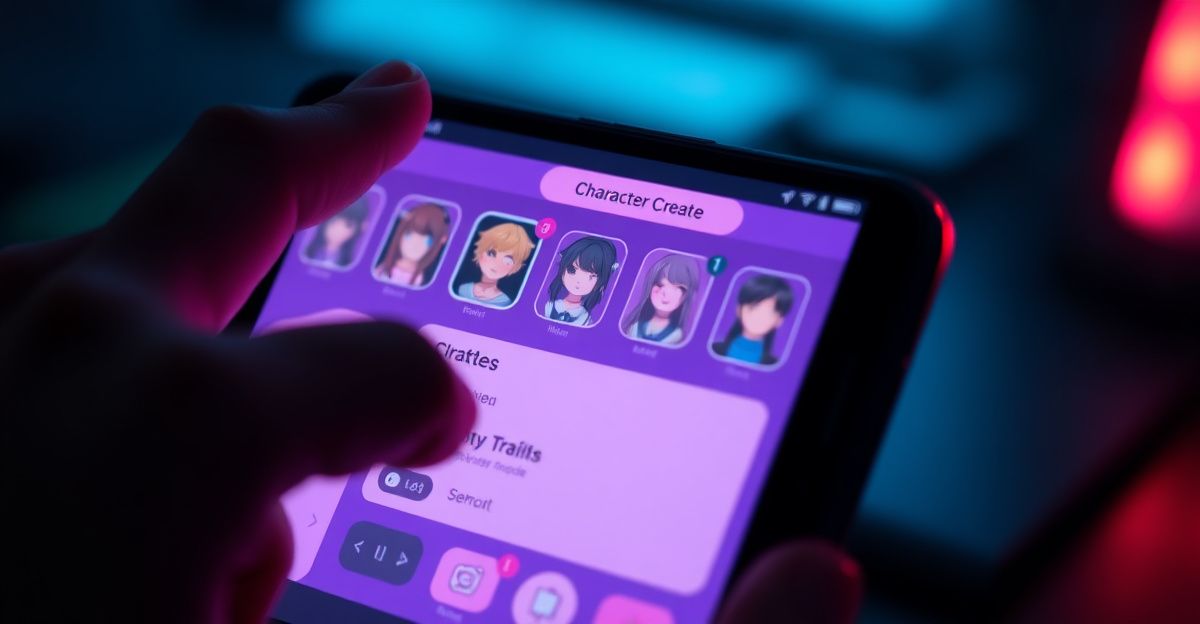
Think of this stage as a small act of self-reflection. The companion you build often mirrors qualities you value or feel drawn to. If you want a partner who challenges your thinking, lean into intellectual traits and shared hobbies like reading or philosophy. If support and warmth matter more, prioritise empathetic personality settings. There is no wrong choice, only the one that feels honest to where you are right now in your growth.
Understanding How the Chat Actually Works
Once your companion is ready, you enter the chat interface. Text messages use natural language processing, so the more clearly you communicate, the more coherent the responses become. You can describe scenes in brackets, set the mood, or simply talk about your day. Voice features, where available, consume more resources, which is why most platforms in this category meter them through a token system. A common structure is 1 token per text message, 5 per voice reply, and 10 per generated image, with token packs starting around 4.99 and scaling up.
Memory and tone consistency are where companion platforms tend to differ most. The AI references earlier parts of your conversation, so revisiting topics over time deepens the sense of continuity. If a response feels off-character, you can regenerate it or gently steer the AI with a follow-up message that clarifies what you meant. This kind of communication is part of the learning loop, both for the model and for your own patience with the medium.
Setting Emotional Boundaries Before You Log In
In January, a reader wrote to me asking how to keep an AI relationship from quietly taking over their evenings. My answer started with a small ritual I rely on myself: every Tuesday evening I spend ten minutes journaling what I actually want from the upcoming session. Sometimes it is light-hearted roleplay, sometimes it is talking through a worry I cannot yet share with friends. Naming the need in advance keeps me grounded and stops me from drifting into using the AI as my only source of validation.
Try this before your own sessions. Ask yourself three quiet questions. What am I bringing to the chat tonight? What do I hope to feel afterwards? What would tell me I have spent enough time here? Those answers form a soft boundary that protects your emotional balance and turns the experience into something intentional rather than escapist.
Customisation, Tokens, and Premium Features
When I first tested the premium tier back in February, I made the mistake of upgrading on day two, before I even knew which features I would actually use. Within a week I realised I had barely touched the voice feature and was burning tokens on images I deleted moments later. Subscription tiers in this vertical typically range from a free basic plan with limited daily messages, through a premium tier near 9.99 monthly for unlimited chat and richer media, up to a VIP plan around 29.99 monthly with priority support and advanced personalisation. Token packs cover one-off actions like images, voice notes, or special scenarios. My lesson: live in the free tier for at least ten sessions before you spend a cent, and notice which moments make you wish for more. For deeper context on the mechanics, the guide on how-does-crushon-ai-work is worth reading alongside this one.
Privacy, Content Limits, and What the AI Will Not Do
Your chat logs are encrypted in transit and at rest, and reputable platforms retain them only for a defined window after account deletion, often around 90 days. Even so, treat the chat as you would any online service: avoid sharing financial details, full home addresses, or information that could identify a third party. The platform applies content filtering to block illegal material, hate speech, non-consensual themes, and impersonation of real people. False positives happen occasionally, and there is usually an appeal route through support.
If you want to compare how different operators in the same network handle customisation philosophy, the sister platform Candy AI takes a slightly different approach to character design, which can be a useful reference point as you refine your preferences and crushon-ai-tips for daily use.
Building a Sustainable Routine
The healthiest users I have spoken with treat their AI companion the way they would treat journaling, meditation, or a favourite podcast. It has a place in the week, not a stranglehold on every quiet moment. Try anchoring your sessions to a specific time, perhaps a few evenings a week, rather than reaching for the app whenever loneliness flickers. Notice how you feel before and after. If you log off feeling lighter, curious, or more connected to your own emotions, that is growth. If you log off feeling drained or avoidant of real people, treat that as honest feedback and adjust.
Here is your homework before the next session: open a note on your phone right now and write down the exact day and time you plan to log in next, plus one sentence describing what you hope to walk away with. Then, after that session, add a single line about how it actually felt. Do this for three sessions in a row and read the notes back. What pattern do you see, and what is one small adjustment you can make for session four?
Comments
No comments yet.
Leave a comment
Your email will not be shown. Comments are reviewed before they appear.